Students Management
The Student Management Module is a comprehensive tool designed to manage student-related processes, including admissions, records management, promotions, and attendance tracking. It provides an intuitive interface for administrators to efficiently handle student data.
Accessing the Student Management Modules
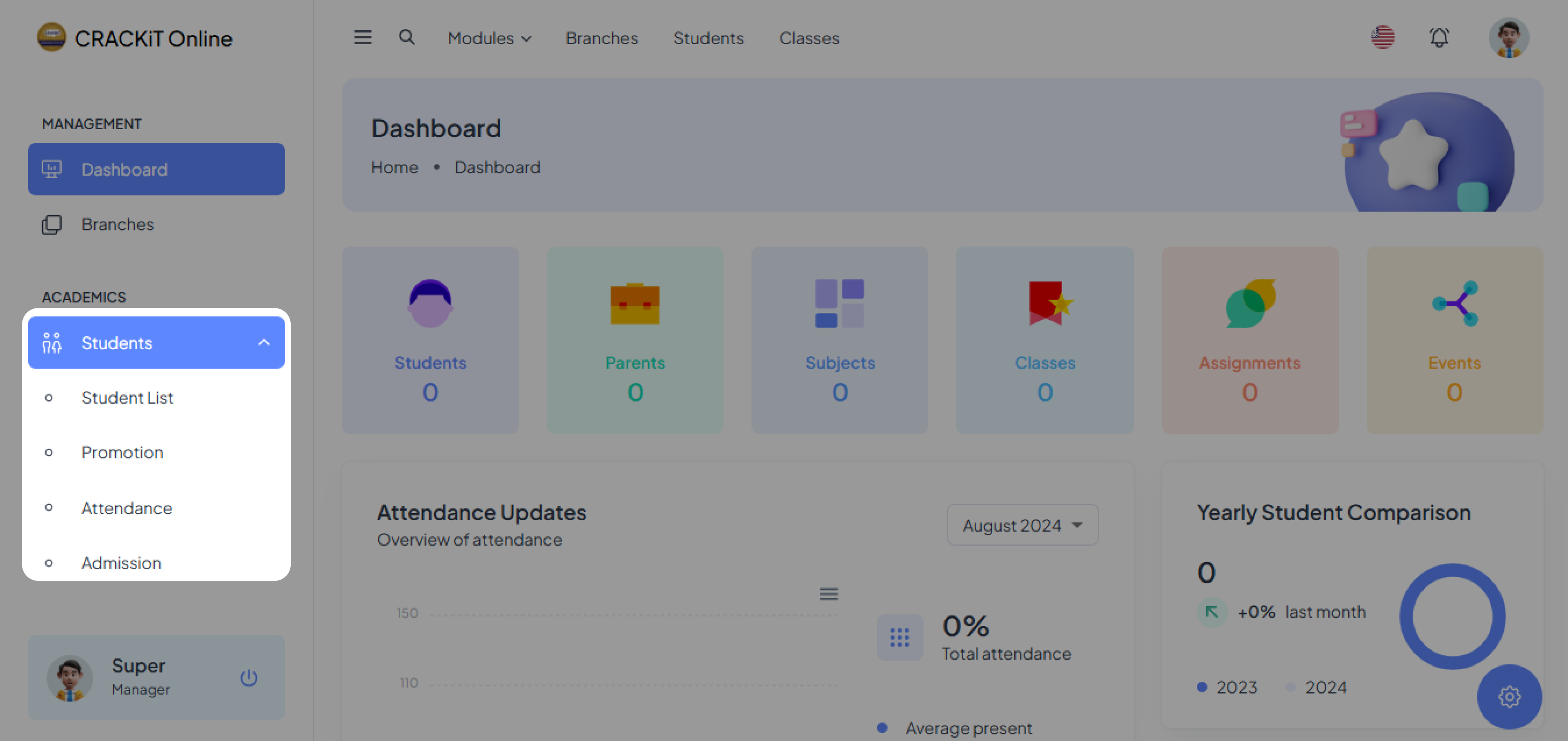
Clicking on Students in the side navigation menu expands the menu as shown below.

Student Admission
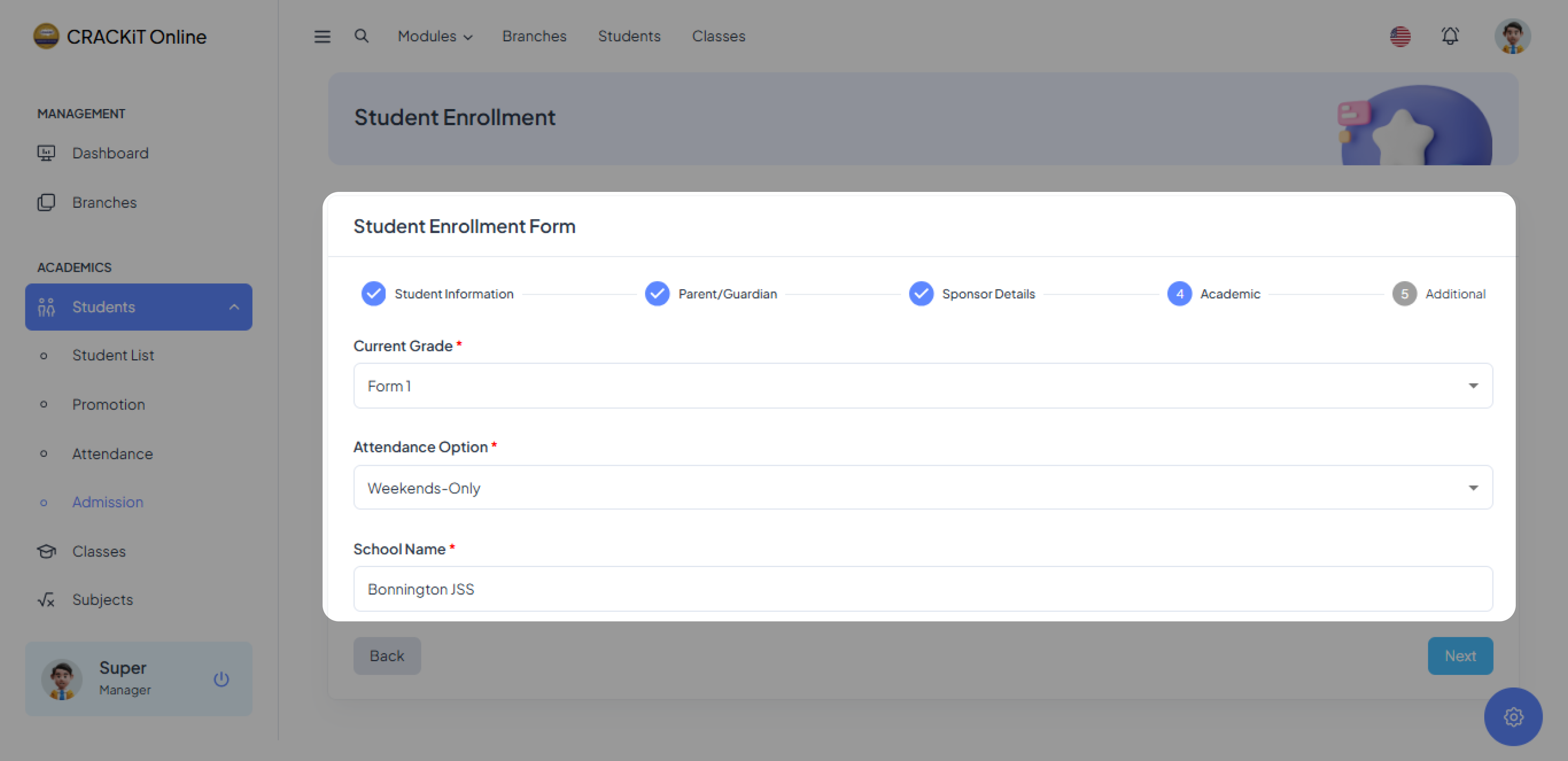
To add a new student, click Admission, and the student admission form will be displayed. Complete the first form and click Next to proceed to the subsequent forms until all sections are completed.


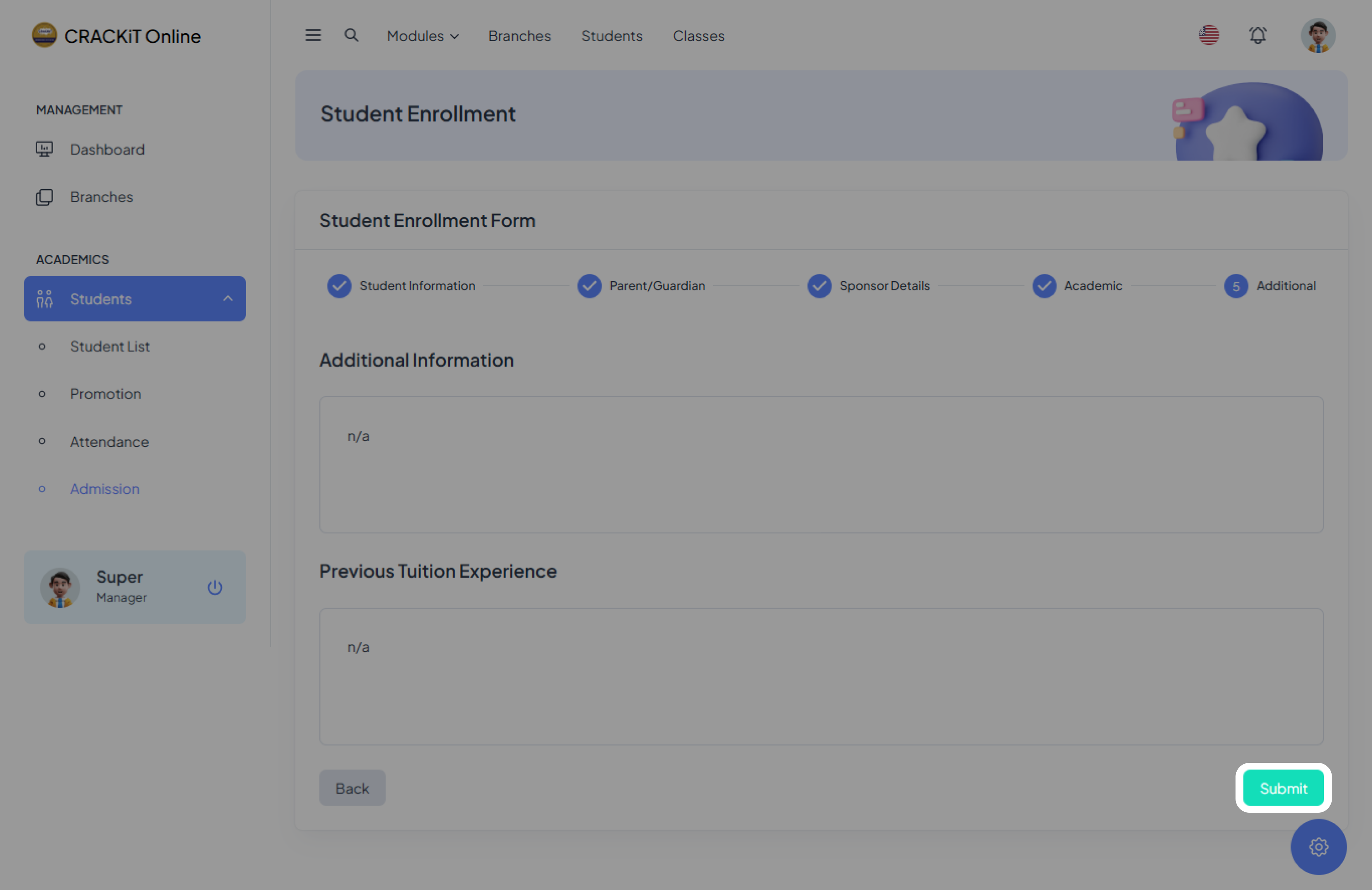
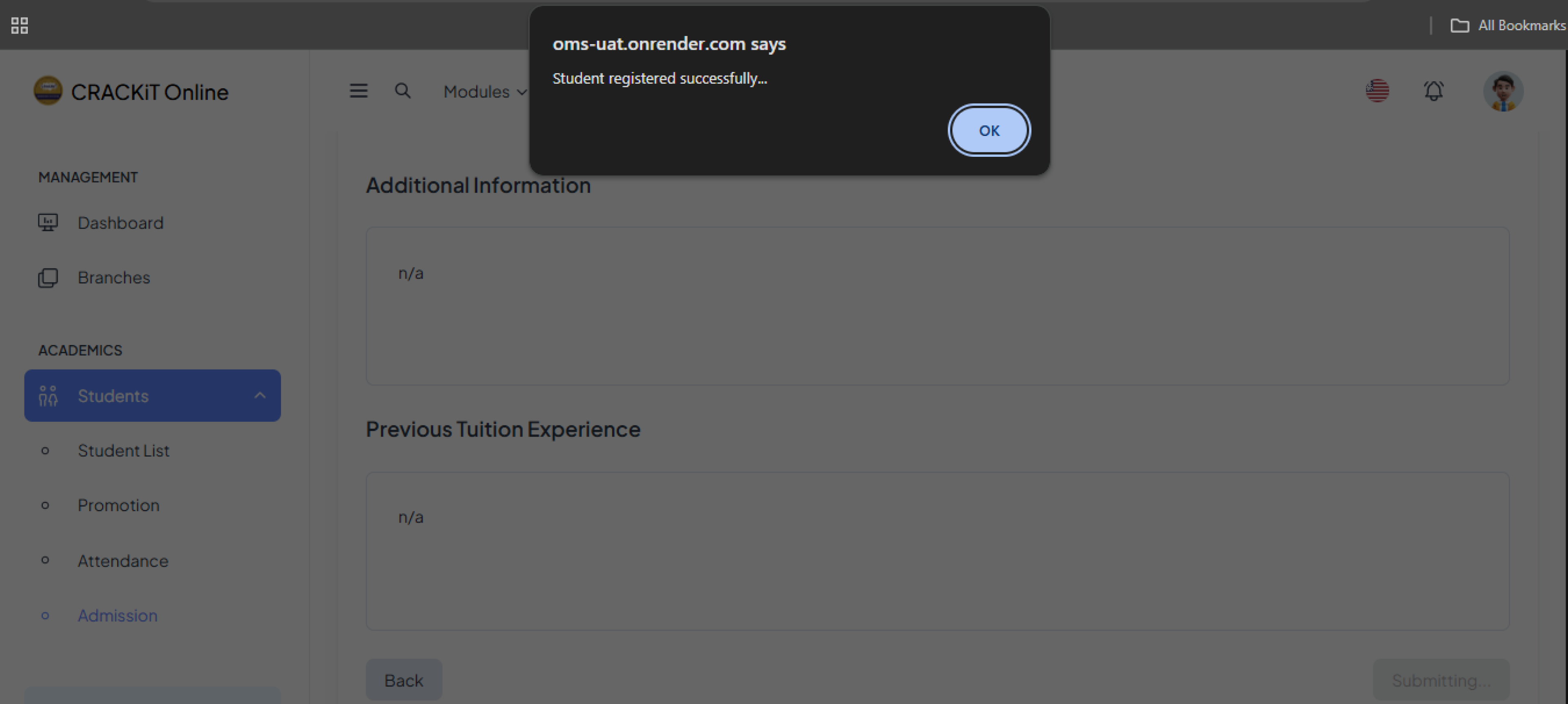
After completing the entire form, click the Submit button. A pop-up message will confirm successful submission. Click Ok to exit.
The student will automatically be added to the Student List.
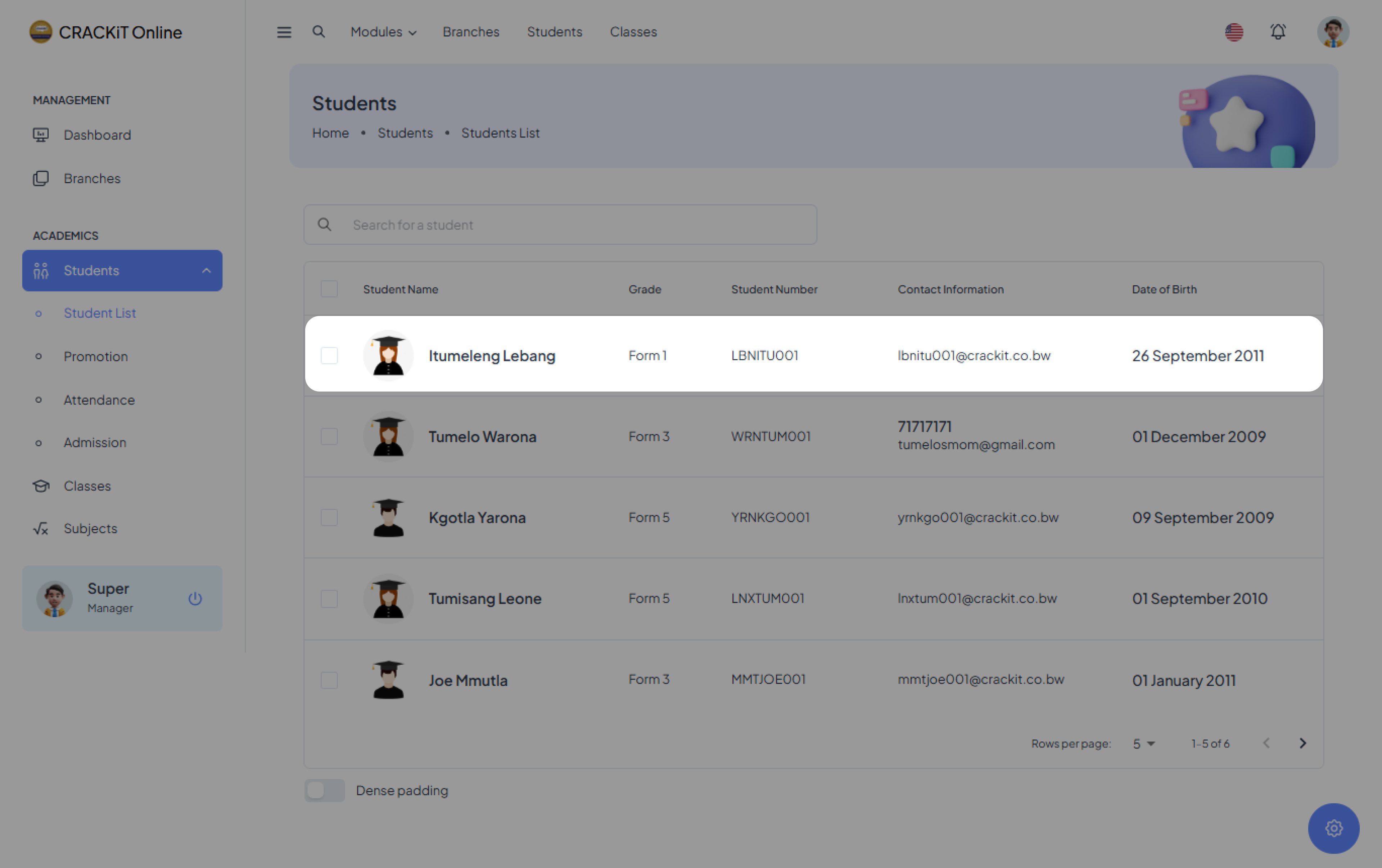
Students Database
The Students Database holds all the information about students. The students' records found in this database can be updated, deleted, or archived.
Updating Student Records
To edit a student record, click on the record to display the form.
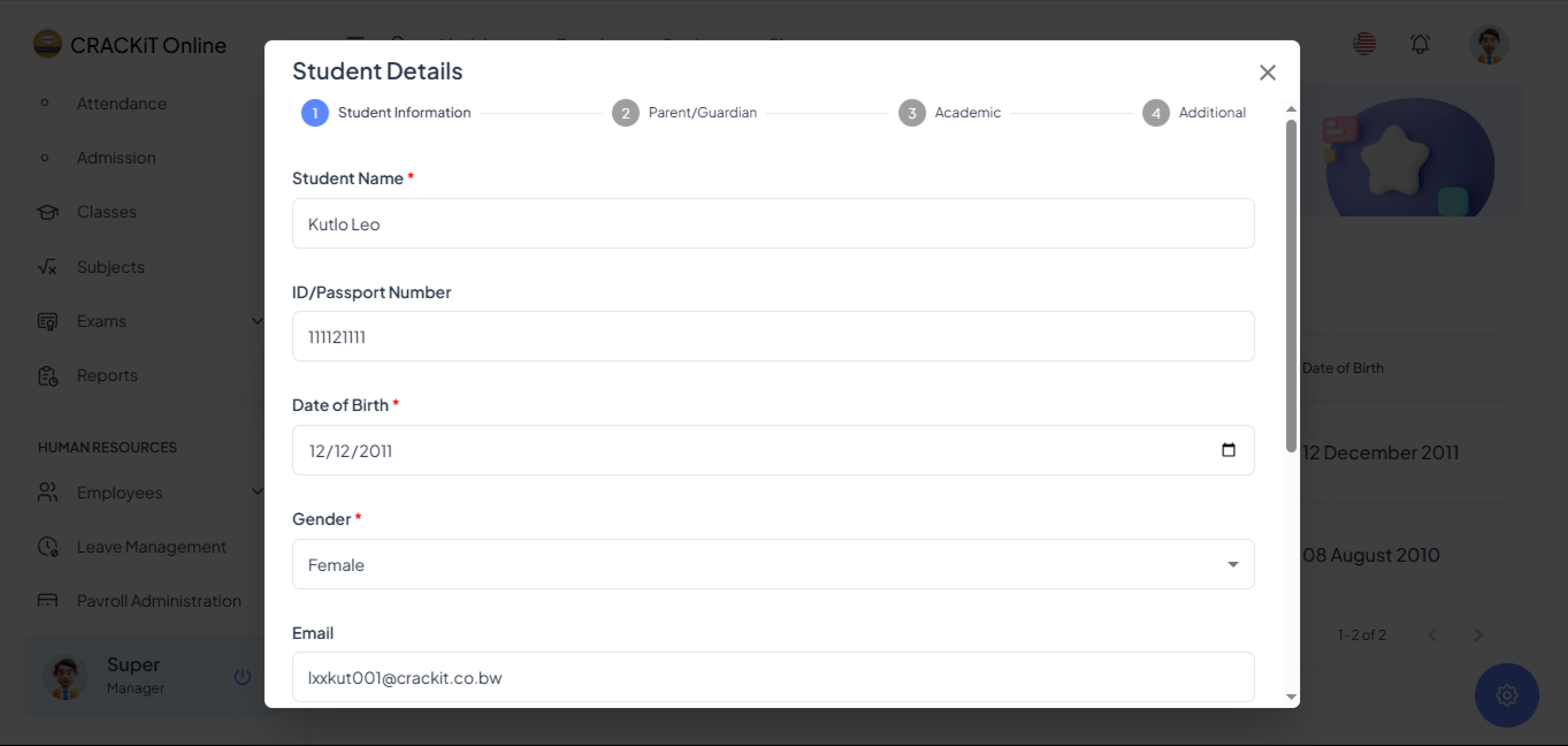
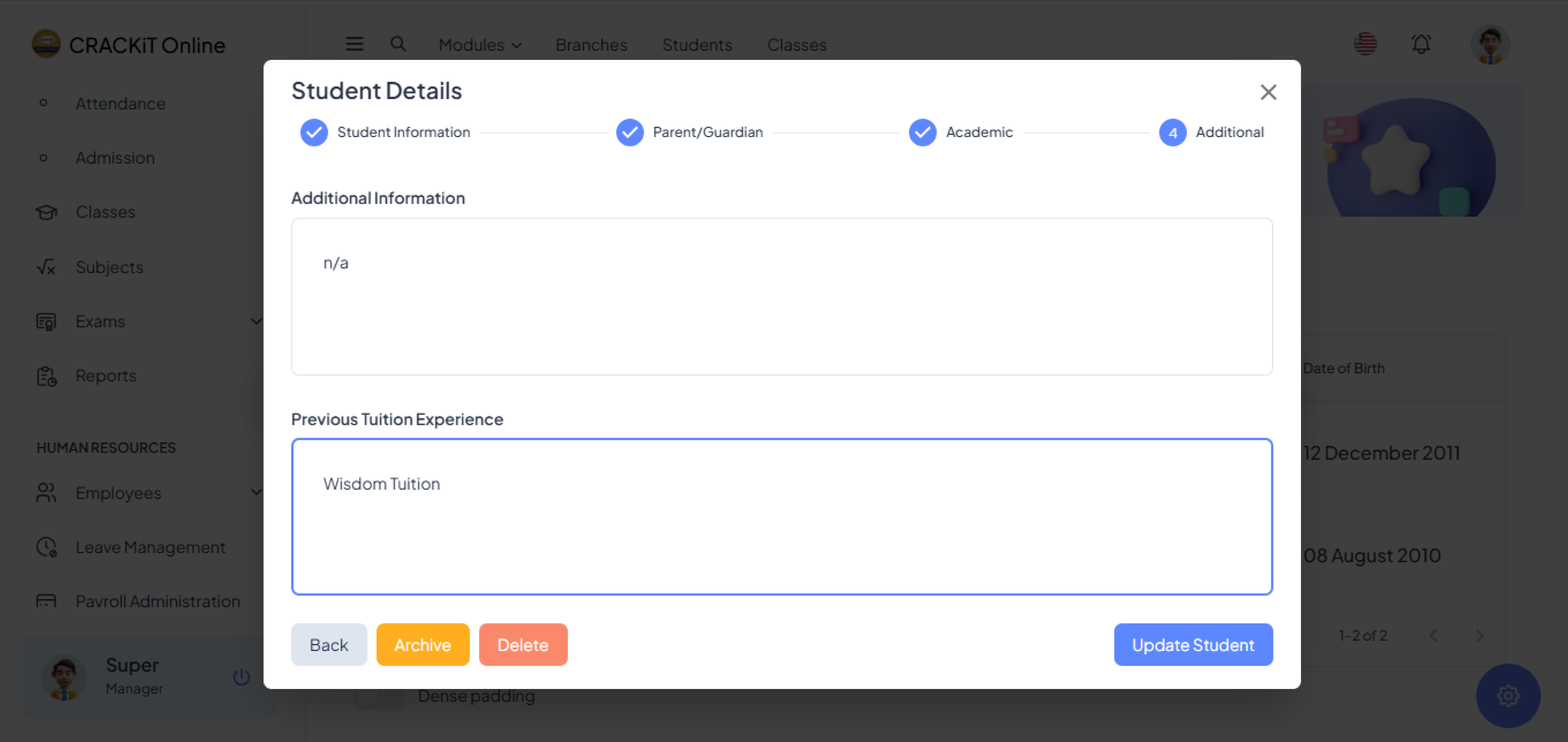
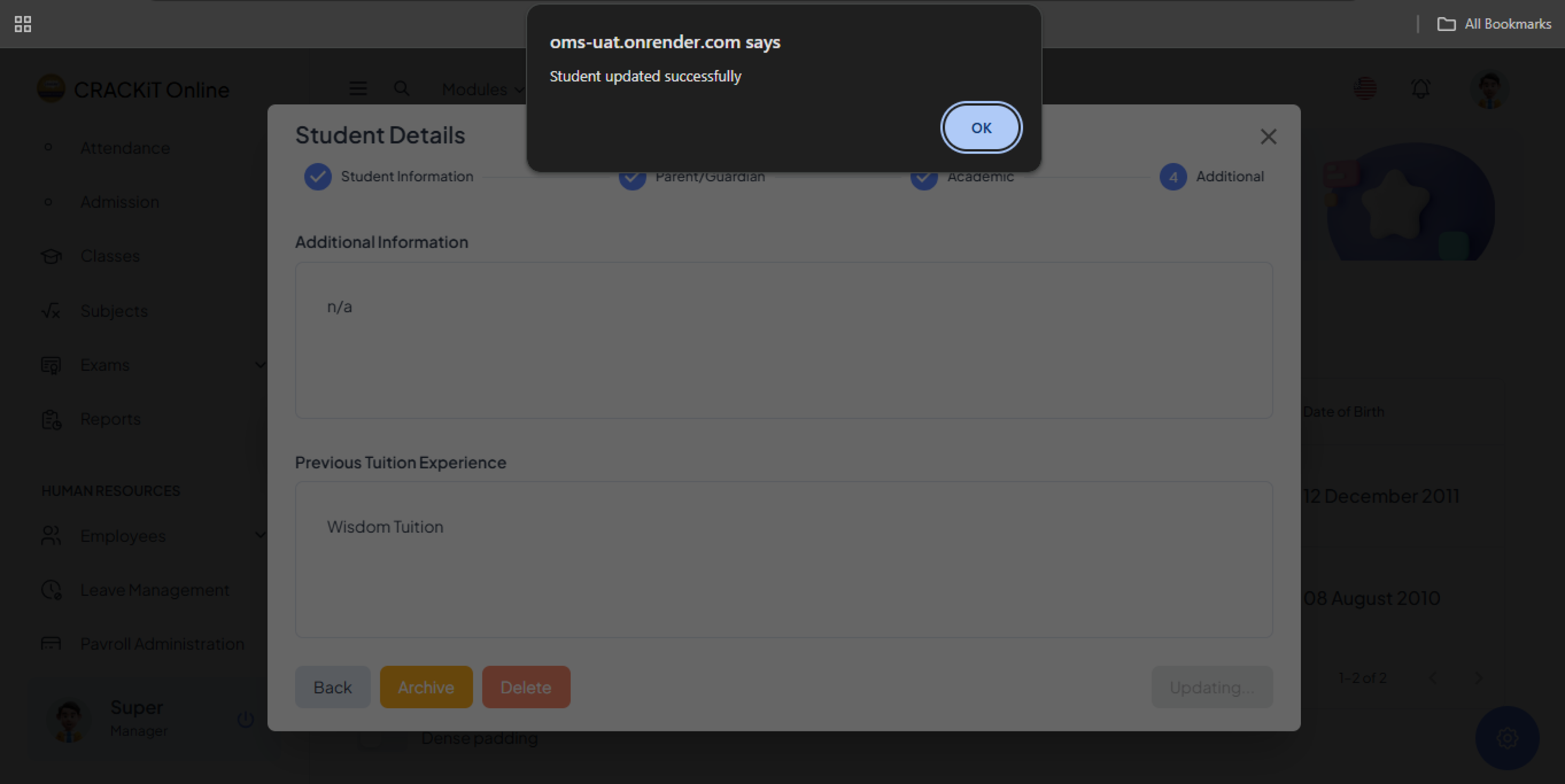
Click the Update Student button. A pop-up message will confirm that the record has been successfully updated. Click Ok to exit.
Archiving Student Records
To archive a student record, click the Archive button. A confirmation dialog box will appear.

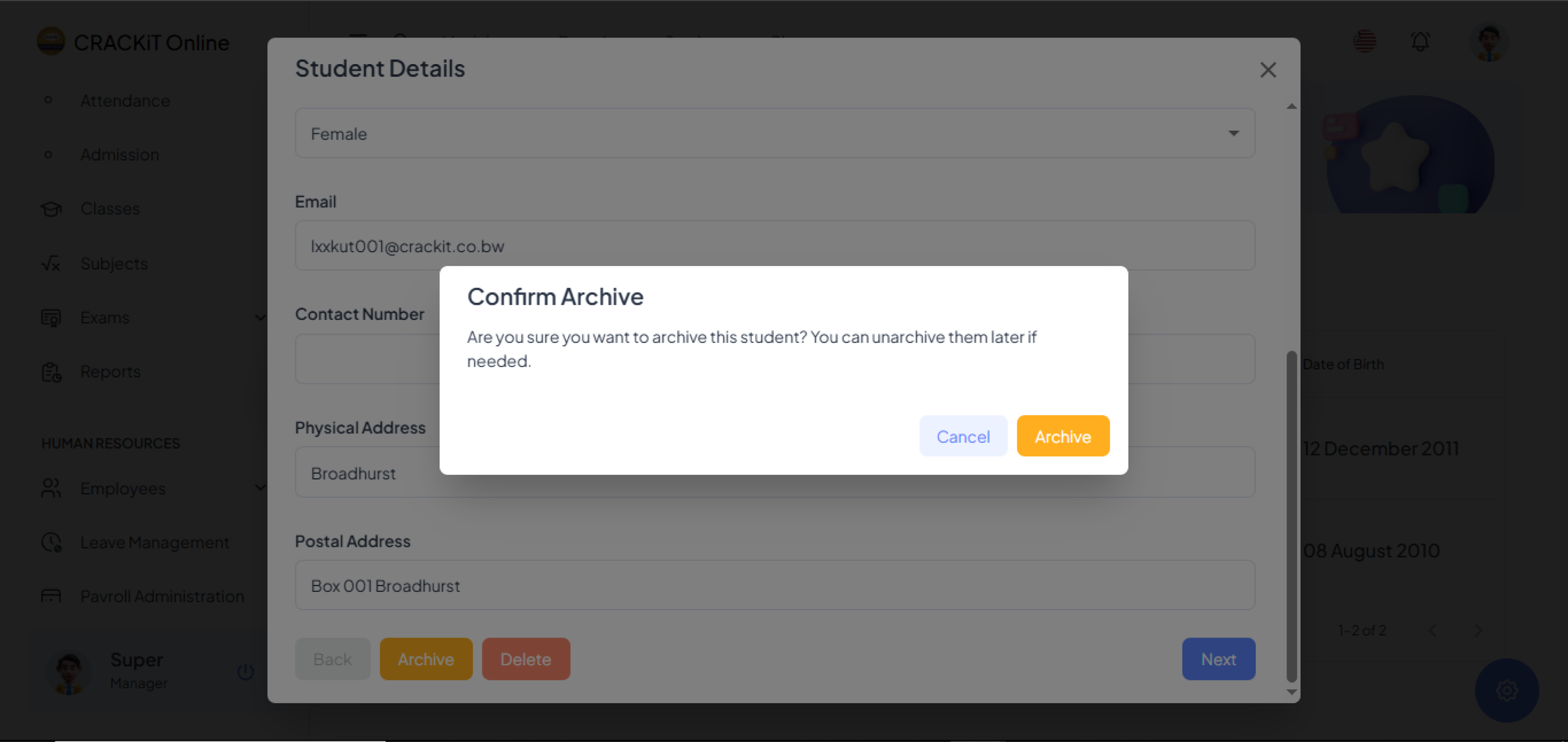
Click Archive to confirm. A pop-up message will confirm the record has been successfully archived. Click Ok to exit.
 Note: Clicking the Cancel button will exit the confirmation dialog box without archiving the record.
Deleting Student Record
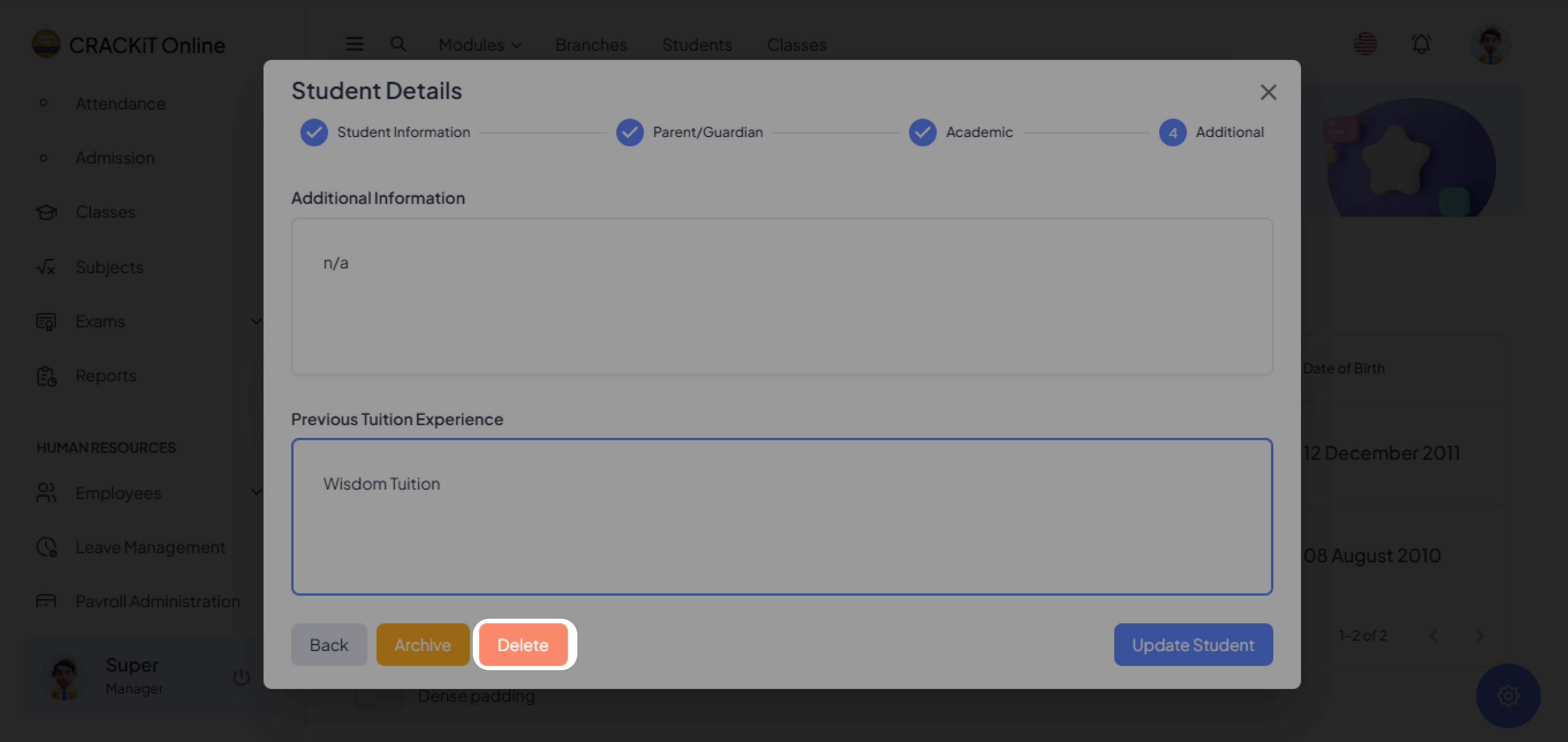
To delete a student record, click the Delete button. A confirmation dialog box will appear.
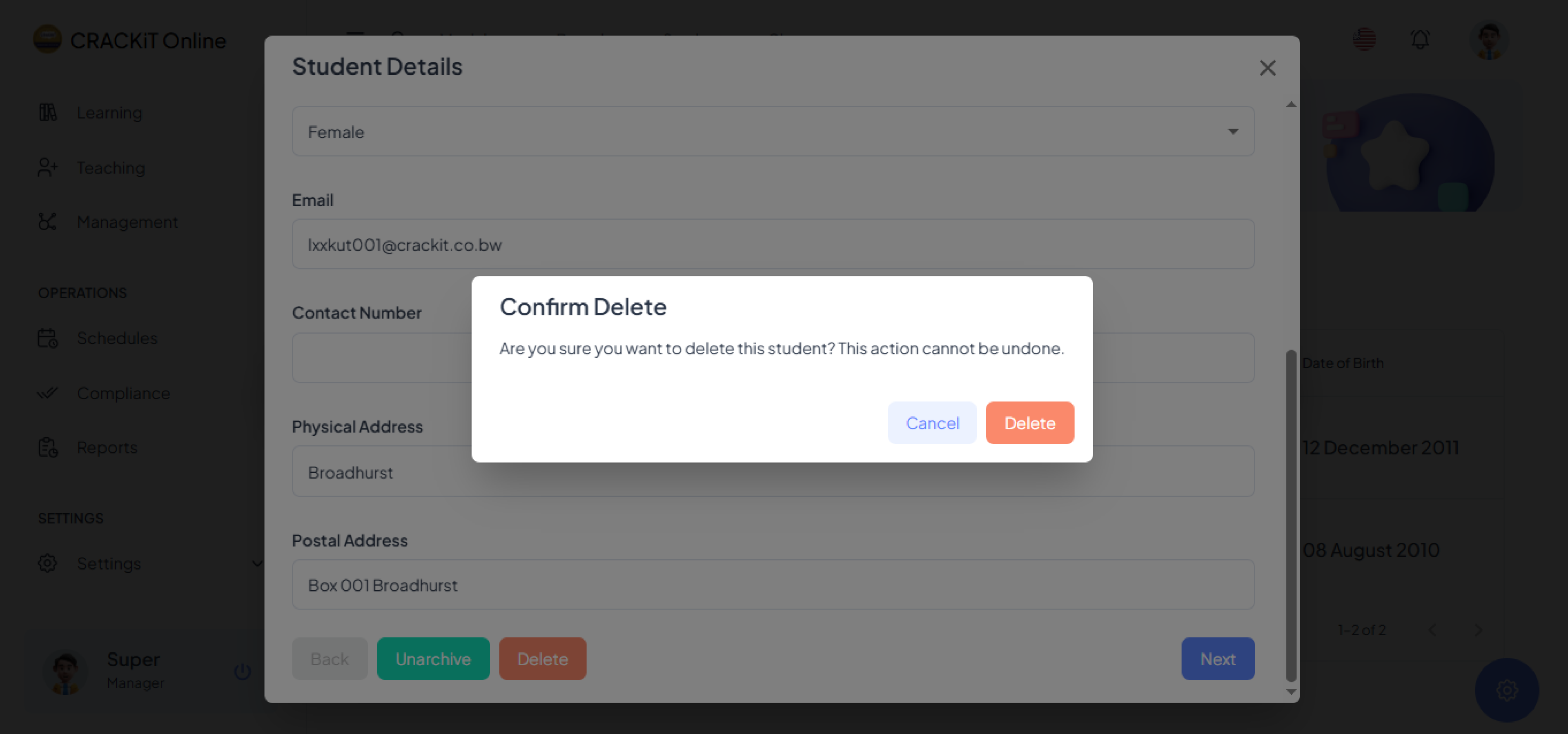
Click Delete to confirm. A pop-up message will confirm the record has been successfully deleted. Click Ok to exit.
Note: Clicking the Cancel button will exit the confirmation dialog box without deleting the record.